A nudge arrives too late
Weekly screen-time reports tell you what already happened. A confirmation dialog is one tap from being dismissed, and by then you have seen the feed.
Android · free · no account
Deep Focus puts a wall in front of the apps you picked, for exactly as long as you decided. It banks the minutes, keeps the streak, and works with no account and no server — because there isn’t one.
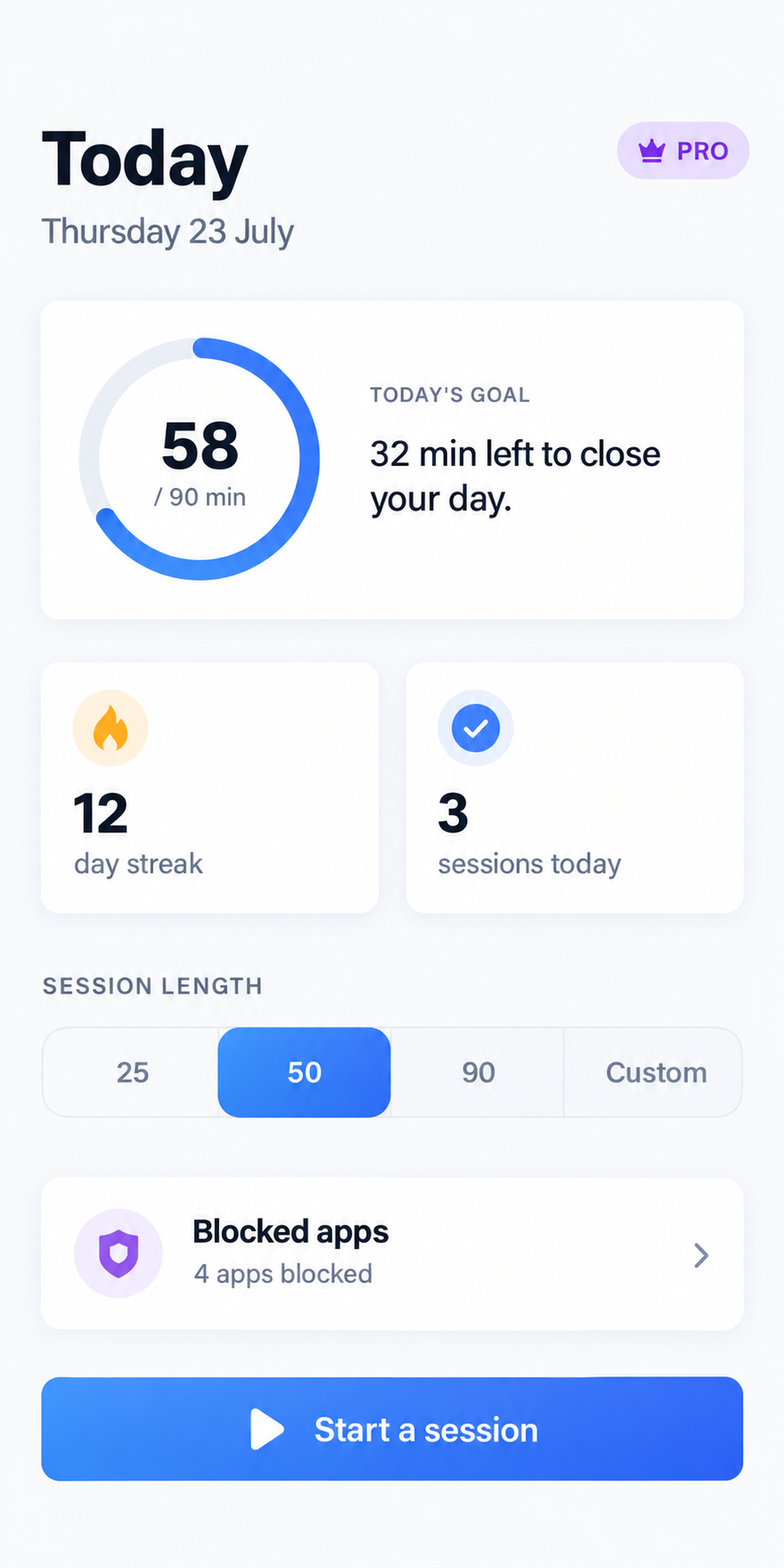
The reflex is faster than the decision
Your hand reaches for the phone in the gap between two thoughts, and the app is open before the intention shows up. Every tool that asks “are you sure?” arrives after that moment. Deep Focus removes the answer instead of asking the question.
Weekly screen-time reports tell you what already happened. A confirmation dialog is one tap from being dismissed, and by then you have seen the feed.
Anything you can switch off in one second is a preference, not a block. It works on the days you did not need it.
An hour you fought for and won leaves no trace. Without a record, a good day and a lost one look identical by Friday.
Three steps, once
Pick from every app actually installed on your phone, with its real icon. No categories standing in for a bundle of packages you never chose — one row is one app.
25, 50, 90 minutes, or any length you set on the wheel, to the minute. Give it a name — study, coding, writing — and the hours get an address.
Tap a blocked app and a blocking screen takes the place of the feed. It holds until the deadline — even if Android kills Deep Focus in the background.
The part everyone else compromises on
Deep Focus watches for the blocked app coming to the front and covers it before its first frame is drawn. There is no glimpse of the feed to talk yourself into.
It reacts to the app opening rather than checking every few seconds, so nothing slips through between two checks — and it costs nothing while you are not blocking.
The block runs in Android, not in a timer inside Deep Focus. Force-quit us, get killed by your phone’s battery manager: the session still holds to its deadline.
The status bar, home and back keys keep working, and the blocking screen always has a way out. A block you cannot escape is a bug — the point is friction, not a hostage.
Your launcher, dialer, messages, keyboard and Settings can never be blocked. They are read off your device, not guessed from a hardcoded list.
The blocking service reads the name of the app coming to the front, and nothing else. Never what is on your screen. You can turn it off in Android settings at any time.
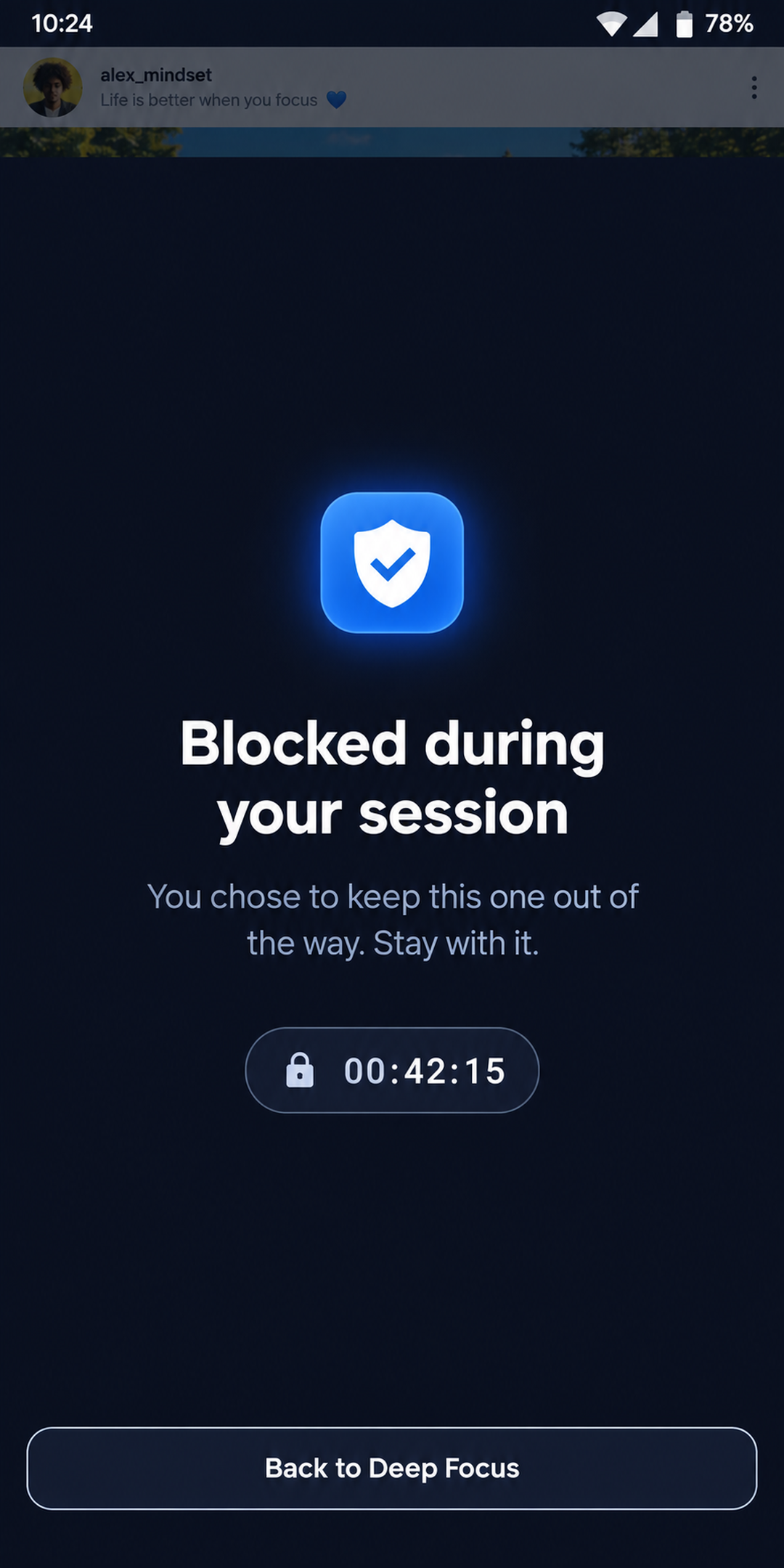
Scoped silence
A blocked app that still buzzes and stacks badges is half blocked — the notification shade is one pull away from the blocking screen. Deep Focus holds those notifications back until the session ends, then hands them over. Nothing is destroyed.
A focus app that silences your whole phone is a phone you cannot trust for an hour. Silence here covers the list you wrote, and stops there.
What keeps you coming back
A daily goal you set yourself drives the ring, the goal rate and the widget. The streak is derived from real history rather than kept in a counter, so it cannot drift or miss a midnight.
Stop early and you keep the minutes you really focused — they show in your stats and on the widget — but the session only counts toward your streak past four fifths of what you committed to. The streak is this app’s currency. We refuse to print it.
Where the time actually went
Deep work, study, writing, reading, coding — one tap from the starter list, or write your own. The Stats tab then breaks your week down by activity, and reports the time you focused without naming it beside the shares instead of quietly diluting them.
Optional, always. Nothing about an activity delays or blocks starting a session.
Pro
A real home-screen widget: the live session countdown while one runs, your streak and today’s goal the rest of the time. It ticks in the launcher’s own process, so it stays accurate to the second with Deep Focus closed.
Privacy, stated precisely
Deep Focus has no backend. Not “an encrypted one” — none at all. Your app list, your sessions, your streak and your goal live in your phone’s storage and are never uploaded, because there is nowhere to upload them to.
No email, no account, no profile. Install it and start a session.
It is configured so it cannot retrieve window content. It sees the name of the app coming to the front, and that is the whole grant.
It only looks at which app a notification came from, so the ones on your list can be postponed. Nothing is stored, read or sent.
The free tier shows ads through Google AdMob, behind Google’s own consent form, and the app reports anonymous usage and crash data through Firebase. Pro removes the ads. That is the entire list.
Honestly
The category is crowded and some of it is very good. Here is where Deep Focus is genuinely different — and where it is not.
Pricing
Unlimited sessions, any length, 3 blocked apps, your goal, your streak and your weekly stats — free, forever, no card. Pro lifts the caps.
7-day free trial · best value
Before you install
It really blocks them. When a blocked app comes to the front, Deep Focus covers it with a blocking screen before you see any of its content, and holds that until the session deadline passes. It is not a confirmation dialog and not a delay screen.
Not for blocking, and the reason is structural rather than a missing sprint. On iOS the only way to block another app is Apple’s Screen Time API, which requires the com.apple.developer.family-controls entitlement. An app whose provisioning profile does not carry that entitlement fails code signing, so it cannot even be built until Apple grants it. We would rather say this than ship an iPhone app that quietly does nothing.
Yes, and that is deliberate. The blocking screen always has a way out, the home and back keys keep working, and you can turn the accessibility service off in Android settings. The product is friction at the moment of the reflex, not a lock that could trap you away from your phone in an emergency.
The session keeps running. The block is held by Android itself rather than by a timer inside the app, so force-quitting Deep Focus or having an aggressive battery manager kill it does not lift the block — it holds to the deadline you set. When you reopen the app, it picks the session back up where it was.
No. There is no sign-up, no email and no profile, because there is no server. Your sessions, streak, goal and blocked-app list are stored on your phone.
No. The blocking service reacts to an app coming to the front rather than polling in a loop, so it costs essentially nothing while you are not in a session, and the session countdown on the widget ticks in your launcher’s process without waking the app at all.
No. The accessibility service is configured so that it cannot retrieve window content — it is given the name of the app that just came to the front and nothing else. If you also grant notification access for the silence feature, that only reads which app a notification came from, so the ones on your blocked list can be postponed.
Yes, genuinely. The free tier runs unlimited sessions of any length, blocks up to 3 apps, silences their notifications, tracks your goal, your streak and your weekly stats. Pro lifts the caps — unlimited blocked apps, month and year history, unlimited reminders, the home-screen widget and no ads.
20, including right-to-left layouts for Arabic. The blocking screen and the home-screen widget are translated too, not just the app.
Only if you were nearly there. Stop early and you keep the minutes you actually focused — they appear in your stats and on your widget — but the session itself only counts toward your streak once you have passed four fifths of what you committed to. A streak you can earn in five seconds is not worth keeping.
One session is enough to see whether the block holds. It takes about a minute to set up and nothing to sign up for.